
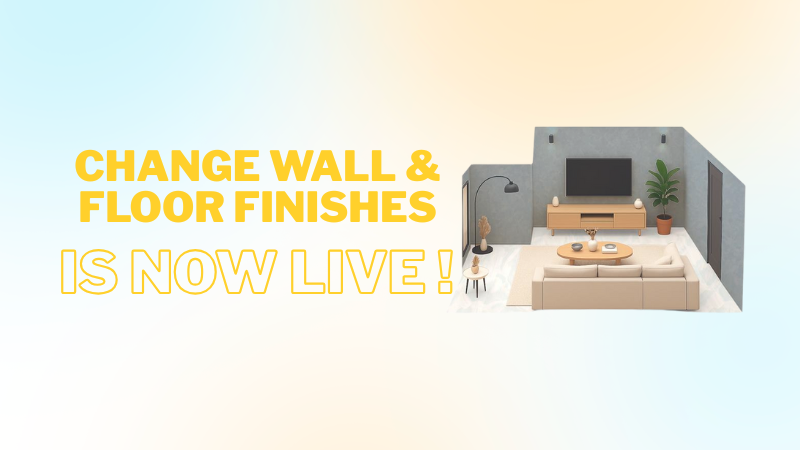
Your home’s vibe starts with the walls beneath your art and the floors under your feet. That’s why Wizlah has launched an exciting new feature — the Wall & Floor Finishes Change tool — now live on wizlah.com!
Whether you’re dreaming of a sleek marble floor, rustic wood textures, or a calming pastel wall, this new function lets you preview different materials and colors in real time, right from your browser.
No downloads, no mess — just instant design magic ✨
In this tutorial, we’ll walk you through how to use it step-by-step.
Step 1: Go to Wizlah.com
Head to wizlah.com and log in to your account.
If you’re new here, sign up — it only takes a minute, and you’ll unlock Wizlah’s interactive design tools.
Step 2: Choose Your Room or Project
You can open an existing project or just start a new one.
You can select a living room, bedroom, kitchen, or any other space you want to experiment with.
Step 3: Click on the Wall or Floor Your Want to Edit
Once you’re inside the design view, choose any wall or floor you want to change the color and finishes.
Click it — this will open the customization panel where the fun begins!
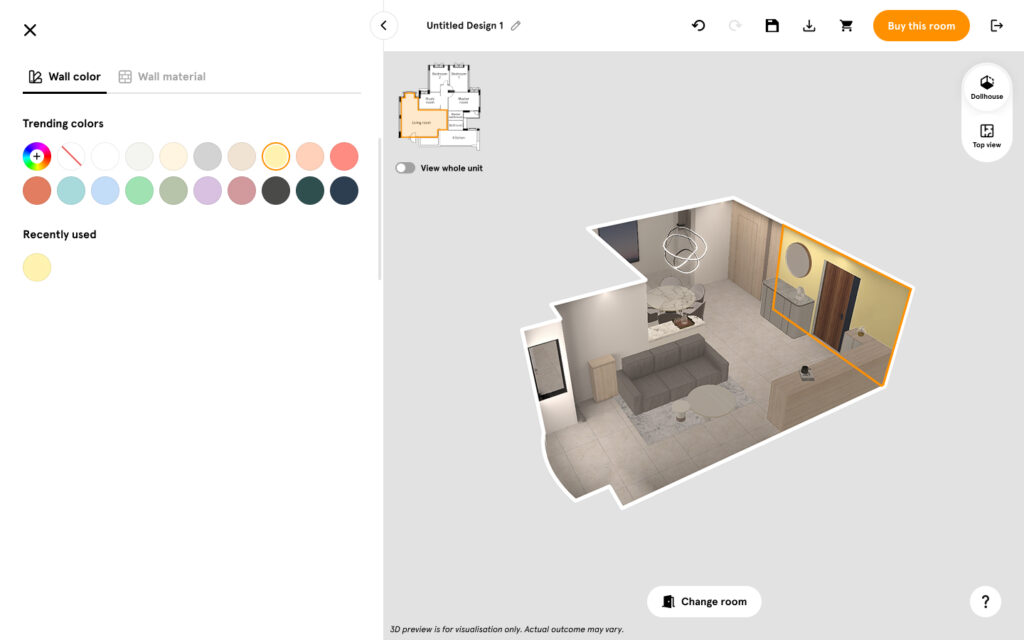
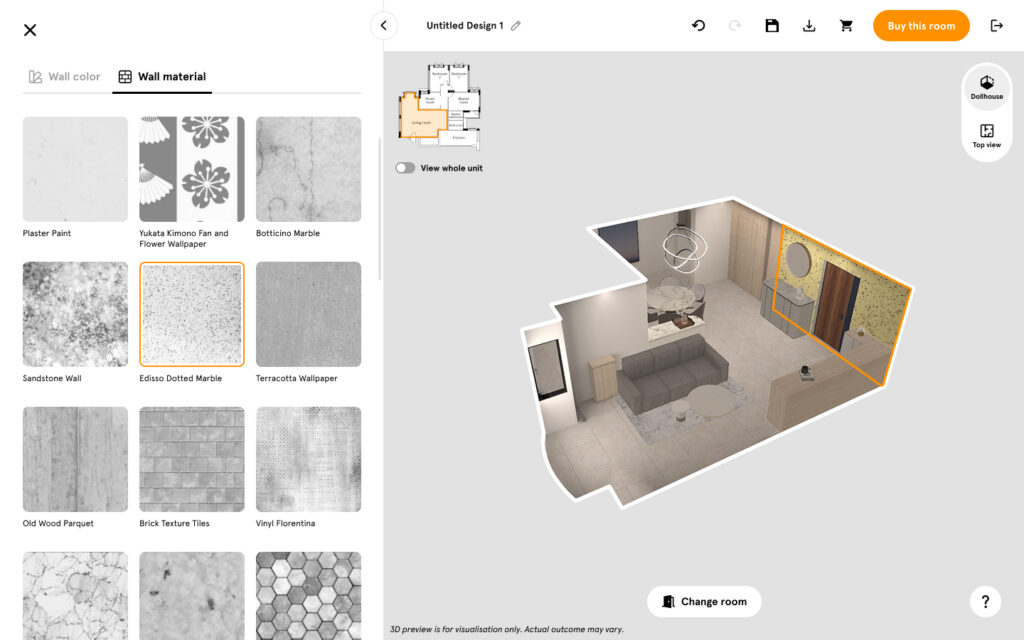
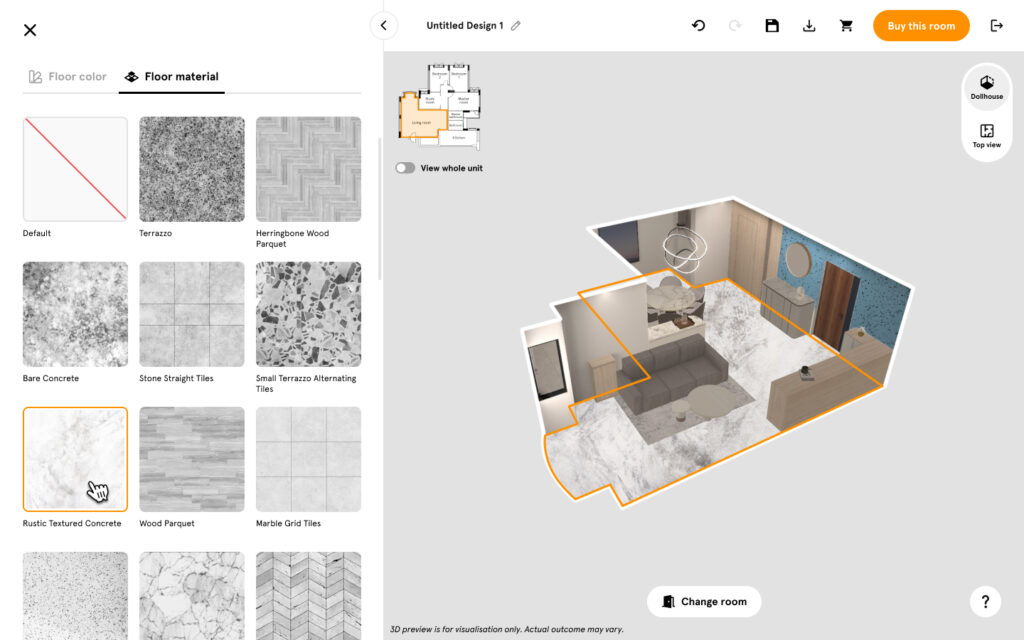
Step 4: Explore Finishes and Textures
You’ll see a variety of wall paints, wallpapers, tiles, woods, marbles, and flooring options to choose from.
Simply click on each finish to instantly apply it to your virtual space.
💡 Pro Tip:
- Pair light oak flooring with warm beige walls for a cozy, natural vibe.
- Try dark wood floors and off-white walls for a clean, modern contrast.
- You can even customize your own wall and floor color.
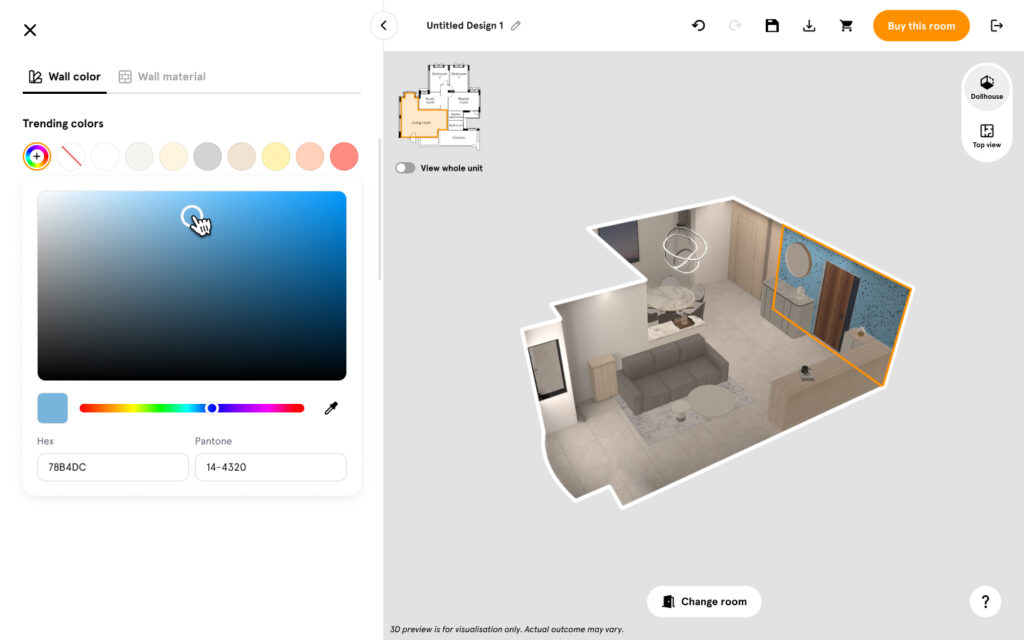
Step 5: Mix, Match, and Compare in Real Time
The magic of Wizlah is instant visualization.
Experiment with different combinations — see how each wall color interacts with your chosen floor style and furniture setup.
Switch back and forth freely until you find your perfect match.
Step 6: Save or Share Your Design
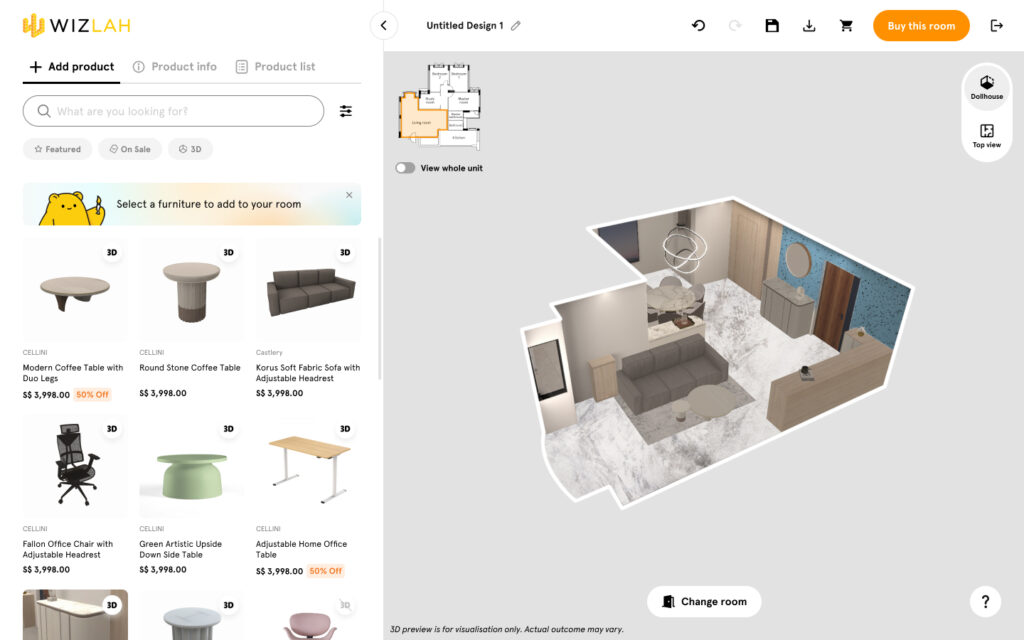
Once you’re happy with your new finishes, click Save Design to keep your updates.
You can also download your design directly and share with friends, clients, or your interior designer.
✨ Why You’ll Love This Feature
- Instant visualization: See every change in real time
- Endless creativity: Mix colors, textures, and finishes effortlessly
- No design experience needed: No design experience needed – simple and intuitive for everyone
- Saves time & money: Avoid guesswork and costly redo’s
Final Thoughts
Your dream home is just a few clicks away.
With Wizlah’s new Wall & Floor Finishes Change feature, you can explore, design, and personalize every corner — all from your browser.
Ready to give your space a fresh new feel?
👉 Visit wizlah.com today and start designing your perfect room.